
Home / Tech / Best External SSDs for Fast Storage
Tech
Best External SSDs for Fast Storage
Portable SSDs that offer blazing-fast transfer speeds.
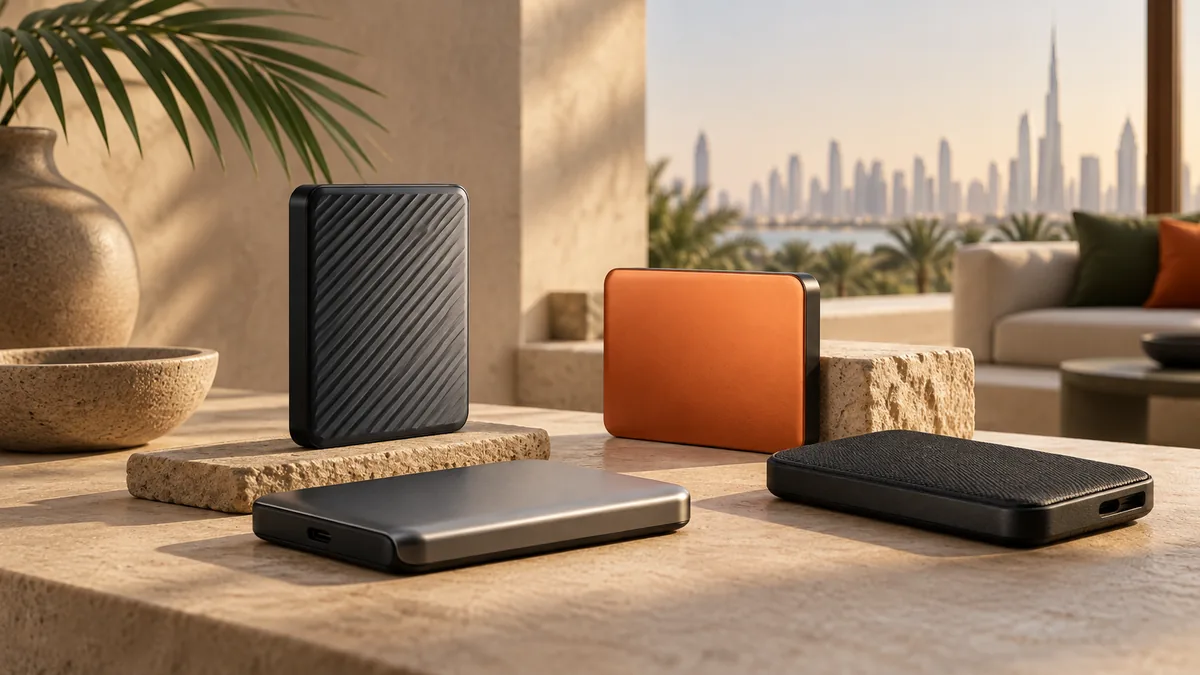
On this page
Best External SSDs for Fast Storage is framed for someone buying while living in the UAE, not for a shopper in another country who happens to read English. For anything with a battery, a screen, or a motor, ask whether the warranty is serviceable in the UAE or only by shipping the unit abroad. Links from the UAE open the Amazon.ae listing when the visitor is in the UAE. That is not a promise the model is in stock — open the listing and confirm delivery to your emirate before you count on it. The notes below compare Samsung T7 Portable SSD and Crucial X9 Pro SSD from manuals and widely published owner reports, not from a private lab.
Portable SSDs that offer blazing-fast transfer speeds.
External SSDs are essential for backing up files and expanding storage.
Quick Comparison
| — | Samsung T7 Portable SSD | Crucial X9 Pro SSD |
|---|---|---|
| Best for | Fast speeds | Great value |
| Standout | Fast speeds | Great value |
| Trade-off | No USB-C cable included | Slower sustained writes |
Quick Answer: Our Pick for Portable Storage
The Samsung T7 is our pick for most people who need a drive that just works. It hits the same rated 1,050MB/s read and write speeds as the Crucial X9 Pro, but it sustains those speeds more consistently once you start moving large video files or full folder backups, and the compact aluminum-style shell feels like it belongs in a laptop bag rather than a toolbox.
The Crucial X9 Pro is the pick if rugged handling and value matter more than squeezing out every last megabyte per second. It is built to shrug off drops and splashes in a way the T7 isn't explicitly rated for, and it trades a bit of sustained-write performance for that toughness.
Editor, photographer, or anyone offloading 4K footage daily: T7. Someone who tosses a drive in a backpack for field work, travel, or a job site: X9 Pro.
What Actually Matters in an External SSD
The headline read/write number on the box is almost never the whole story. Both drives here advertise up to 1,050MB/s, which is the practical ceiling for a USB 3.2 Gen 2 connection — you won't see faster transfers unless you step up to a Thunderbolt or USB4 drive, which usually costs considerably more and needs a compatible port. What separates good drives at this speed tier is sustained performance: how long that top speed holds up once you're past the first few gigabytes and the drive's cache fills up.
Durability is the second real differentiator. A portable SSD has no moving parts, so it's inherently more shock-resistant than an external hard drive, but build quality still varies a lot between models. Look for an actual ingress rating (IP-something) rather than marketing language like "rugged" with no number behind it, and check whether the housing is metal or plastic — metal dissipates heat better but can get warmer to the touch under sustained load.
Everything else — included cables, software extras, color options — is convenience, not performance. It's worth checking before you buy, since a drive that ships without a USB-C cable means budgeting for one separately, but it shouldn't be the deciding factor over speed and durability.
Samsung T7 vs Crucial X9 Pro: Where They Diverge
On paper these two drives look nearly identical: both are 1TB, both are rated for up to 1,050MB/s. In practice, the gap shows up in sustained writes — copying a single large file or a big batch of files back-to-back. The T7 holds its rated speed longer before thermal throttling or cache exhaustion slows it down, which matters most if you're regularly moving multi-gigabyte video files or doing full project backups in one sitting.
The X9 Pro's slower sustained writes are the honest trade-off for its ruggedized, water-resistant design. Crucial built this drive to survive being dropped or getting caught in the rain, and that shock-absorbing design doesn't come free — it affects thermal management slightly compared to the T7's slimmer shell. For everyday tasks like transferring photos, documents, or moderate video clips, most people won't notice the difference at all.
The X9 Pro is the more rugged of the two, and for buyers who are storage-constrained but not performance-constrained, that toughness is often the deciding factor rather than the speed difference.
Durability and Real-World Handling
Neither drive has moving parts, which already puts both ahead of any external hard drive on shock resistance — a drop that would misalign a spinning platter just doesn't damage flash memory the same way. But the two diverge on how much additional protection they're built with.
The Samsung T7 leans into compactness and a durable but more conventional build rather than an IP-rated shell.
Neither drive requires special care beyond the obvious: avoid extreme heat, don't leave either drive plugged in and transferring in a closed, unventilated bag, and eject properly before unplugging to avoid corrupting an in-progress write.
How this was researched
These notes come from published specifications, manuals, and patterns that show up repeatedly in owner reports. TechGadgetSpot did not run a private lab session for this guide. Use the specs against how you will actually use the item in the UAE: heat, dust, Type G power where a plug is involved, app availability, and whether Amazon.ae can deliver it.
Final Verdict
Samsung T7 is the gold standard; Crucial X9 Pro offers excellent value with rugged features.
The picks
Samsung T7 Portable SSD
1TB, up to 1,050MB/s read/write, compact and durable.
Pros
- Fast speeds
- Compact size
- Durable build
Cons
- No USB-C cable included
- Can get warm
Crucial X9 Pro SSD
1TB, up to 1,050MB/s, rugged and water-resistant.
Pros
- Great value
- Rugged design
- Good speeds
Cons
- Slower sustained writes
- Basic design
Before you order, open the Amazon.ae listing, confirm it ships to your address, and check the return window. Sale seasons — Ramadan, White Friday, Prime Day, Prime Big Deal Days — are when it is worth looking again. This page never quotes a price.
Frequently asked questions
Do I need a USB-C cable for these SSDs?
Check before you buy — the Samsung T7 doesn't include one in the box, so budget for a separate USB-C cable if you don't already have a spare. Either way, use a certified USB 3.2 Gen 2 cable to actually hit the rated transfer speeds; a modest or older cable will bottleneck the drive well below its 1,050MB/s ceiling regardless of which drive you choose.
Why do both drives list the same top speed if one performs better?
The advertised 1,050MB/s figure is a burst speed, measured over a short transfer before the drive's cache fills up. The Samsung T7 sustains that speed longer during large, continuous transfers, while the Crucial X9 Pro's sustained writes taper off sooner. For quick transfers of a few files, you likely won't notice a difference; for large video exports or full backups, the gap becomes obvious.
Is a water-resistant SSD like the Crucial X9 Pro actually necessary?
Only if your usage justifies it. If the drive lives on a desk or travels in a padded laptop bag, ruggedization is a nice-to-have rather than a requirement, and the Samsung T7's more compact build is fine. If you're shooting outdoors, working on a job site, or regularly tossing the drive in a bag with water bottles and gear, the X9 Pro's water resistance is genuinely worth the trade-off in peak sustained speed.
Will an external SSD get too hot during heavy use?
Some warmth under sustained transfer is normal and expected — it's a side effect of moving data quickly through a compact metal shell, not a defect. If a drive gets hot enough to be uncomfortable to hold or visibly throttles mid-transfer, give it a break between large jobs rather than running it continuously for hours.
Keep reading
Guide
Tech Reviews & Guides
Laptops, tablets, fitness trackers, smartwatches, and portable tech — reviewed without the hype.
Tech
iPad vs Samsung Galaxy Tab: Which Tablet Is Right for You?
Apple iPad and Samsung Galaxy Tab dominate the tablet market. We compare their ecosystems, performance, stylus support, and value to help you decide.
Tech
Best Fitness Trackers Under AED 400
Track your steps, sleep, and workouts without breaking the bank.
Tech
Best Portable Bluetooth Speakers Under AED 400
Take your music anywhere with these modest portable speakers.
As an Amazon Associate, TechGadgetSpot earns from qualifying purchases.