
Home / Tech / Best Laptops Under AED 3000 for Students and Work
Tech
Best Laptops Under AED 3000 for Students and Work
Powerful and modest laptops for everyday use.
On this page
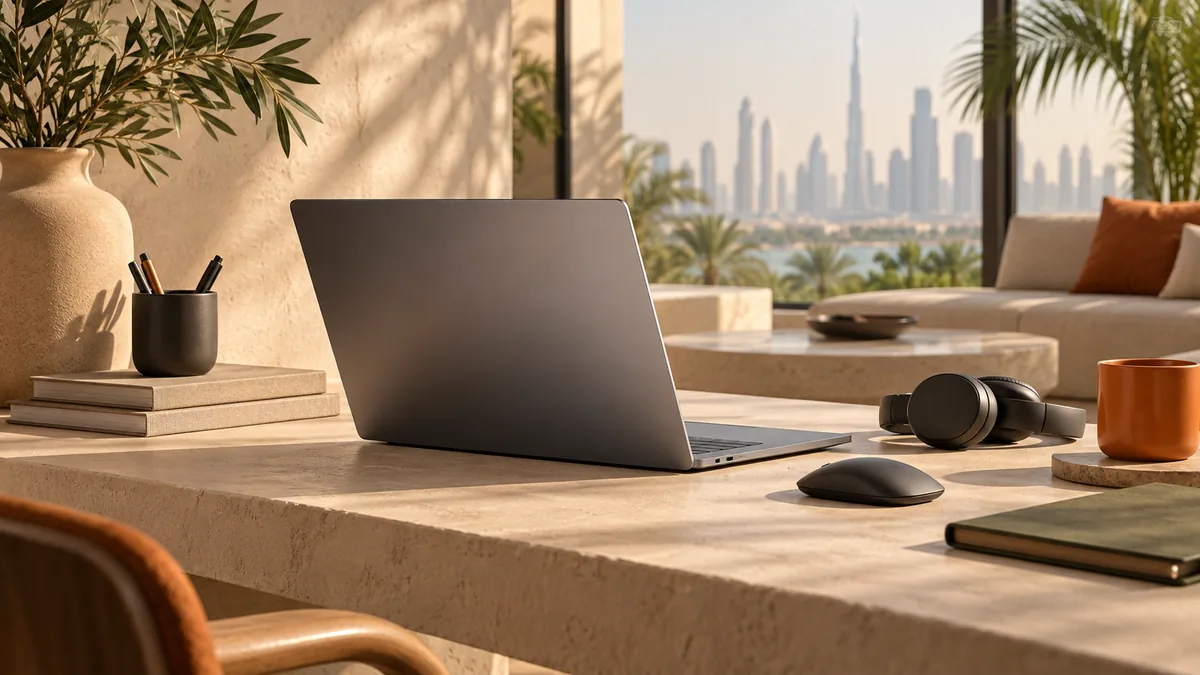
Best Laptops Under AED 3000 for Students and Work is framed for someone buying while living in the UAE, not for a shopper in another country who happens to read English. For anything with a battery, a screen, or a motor, ask whether the warranty is serviceable in the UAE or only by shipping the unit abroad. Links from the UAE open the Amazon.ae listing when the visitor is in the UAE. That is not a promise the model is in stock — open the listing and confirm delivery to your emirate before you count on it. The notes below compare Acer Aspire 5 and Lenovo IdeaPad Slim 3 from manuals and widely published owner reports, not from a private lab.
Powerful and modest laptops for everyday use.
Finding a solid laptop under AED 3000 is easier than ever.
Quick Comparison
| — | Acer Aspire 5 | Lenovo IdeaPad Slim 3 |
|---|---|---|
| Best for | Solid performance | modest |
| Standout | Solid performance | modest |
| Trade-off | Plastic build | Limited storage |
Quick Answer: Our Pick Under AED 3000
The Acer Aspire 5 is our pick for most students and remote workers shopping under AED 3000. Its Core i5 chip and 16GB of RAM handle the real bottleneck of everyday computing — a browser with two dozen tabs, a video call, and a document editor all open at once — without the slowdowns that plague more modest machines. The 512GB SSD is generous enough that you won't be deleting files to make room for a semester's worth of coursework or a season of project folders.
The Lenovo IdeaPad Slim 3 is our pick for buyers who want to spend less and are willing to trade some headroom for it. It's noticeably lighter to carry between classes or coffee shops, and the Ryzen 5 processor is genuinely capable for typing, browsing, and streaming. The catch is 8GB of RAM and a 256GB SSD, both of which are fine today but leave less room to grow into heavier workloads a year or two from now.
If you multitask heavily or plan to keep the laptop for several years, get the Aspire 5. If you mainly need something light and dependable for writing, browsing, and video calls, the IdeaPad Slim 3 covers that job without the extra bulk.
What Actually Matters in a Sub-higher-tier Laptop
A fast-sounding processor paired with too little RAM will still choke the moment you open a handful of tabs alongside Zoom and a spreadsheet, because the operating system is constantly swapping data to a slower drive instead of keeping it in memory. RAM, not raw processor speed, is usually the first thing that makes a budget laptop feel sluggish in daily use.
Storage matters almost as much, and not just for capacity. An SSD instead of a spinning hard drive is non-negotiable at this point — both of these picks have one — but the size of that SSD determines how long the laptop stays pleasant to use. Once a drive fills past roughly 80-90% capacity, both boot times and app-launch speed degrade, so a smaller drive means you'll be managing storage sooner, whether by deleting files, offloading to cloud storage, or attaching an external drive.
Build quality and battery life are where budget laptops most often show their price. Plastic chassis flex more than aluminum ones and pick up scuffs faster, though that rarely affects how the machine actually performs. Battery life is the more consequential trade-off, since a laptop that dies mid-lecture or mid-shift is a real inconvenience no amount of processing power fixes.
Acer Aspire 5: Where the Extra Headroom Goes
The Aspire 5's 16GB of RAM is double what the IdeaPad offers, and it's the single biggest reason this laptop feels faster in practice than the processor spec alone would suggest. That extra memory is what lets you keep a research browser, a word processor, a PDF reader, and a video call open simultaneously without the fan spinning up and the whole system stuttering — the exact workload a student or hybrid worker actually runs during a normal day.
The 512GB SSD compounds that advantage. It's enough space to keep a full course load of lecture recordings, project files, and downloaded references on the drive at once, rather than constantly shuffling files to external storage to stay under capacity. Combined with the Full HD display and a solid port selection, this is the machine built for someone who wants to sit down and work without managing the laptop's limitations.
The plastic build and shorter battery life are the honest costs of getting that much RAM and storage under AED 3000. The chassis won't feel as premium as pricier ultrabooks, and it's worth keeping a charger within reach for a full day away from an outlet. Neither issue affects what the laptop can actually do — they're comfort and convenience trade-offs, not performance ones.
Lenovo IdeaPad Slim 3: The Budget Trade-offs Worth Knowing
The IdeaPad Slim 3 earns its spot by doing the basics well at a lower cost, and its lighter build is a genuine everyday advantage if you're carrying the laptop around campus or between meetings rather than leaving it on one desk. The Ryzen 5 processor holds up fine for writing, browsing, streaming video, and light spreadsheet work — the tasks that make up most of what a general-use laptop is asked to do.
Where it asks for a compromise is memory and storage. 8GB of RAM is workable for single-tasking or light multitasking, but it's the number most likely to become a bottleneck first — expect more noticeable slowdown once you're juggling several browser tabs alongside a video call or a heavier app. The 256GB SSD is also tight if you plan to keep a large media library, install several bigger applications, or avoid ever thinking about storage management.
The average display is the other place this laptop shows its lower cost, with less brightness and color accuracy than the Aspire 5's Full HD panel. For text-based work and everyday browsing that's a minor issue; for anyone doing photo editing or color-sensitive work, it's worth being aware of before buying.
How this was researched
These notes come from published specifications, manuals, and patterns that show up repeatedly in owner reports. TechGadgetSpot did not run a private lab session for this guide. Use the specs against how you will actually use the item in the UAE: heat, dust, Type G power where a plug is involved, app availability, and whether Amazon.ae can deliver it.
Final Verdict
The Acer Aspire 5 offers the best performance for the price, while the Lenovo IdeaPad is perfect for budget-conscious buyers.
The picks
Acer Aspire 5
15.6-inch FHD, Intel Core i5, 16GB RAM, 512GB SSD.
Pros
- Solid performance
- Full HD display
- Good port selection
Cons
- Plastic build
- Battery life
Lenovo IdeaPad Slim 3
15.6-inch, AMD Ryzen 5, 8GB RAM, 256GB SSD.
Pros
- modest
- Lightweight
- Decent performance
Cons
- Limited storage
- Average display
Before you order, open the Amazon.ae listing, confirm it ships to your address, and check the return window. Sale seasons — Ramadan, White Friday, Prime Day, Prime Big Deal Days — are when it is worth looking again. This page never quotes a price.
Frequently asked questions
Is 8GB of RAM enough for a student or remote worker in 2026?
It's workable but tight. 8GB, like the IdeaPad Slim 3 has, comfortably handles single-tasking — writing, browsing, streaming — but starts to slow down once you stack several browser tabs on top of a video call or a heavier app. If your days regularly involve juggling multiple programs at once, 16GB (what the Acer Aspire 5 offers) gives you meaningfully more headroom before things feel sluggish.
Does Intel Core i5 or AMD Ryzen 5 matter more than the RAM difference?
In this tier, no — RAM is the bigger factor in everyday responsiveness. Both the Aspire 5's Core i5 and the IdeaPad's Ryzen 5 are capable mid-range chips well suited to browsing, office work, and streaming. The gap you'll actually notice day to day comes from the Aspire 5's extra RAM and larger SSD, not from which processor brand is doing the work.
How much should I worry about the Acer Aspire 5's plastic build?
Mostly not at all, unless premium feel matters to you specifically. A plastic chassis flexes a bit more and shows scuffs sooner than an aluminum one, but it doesn't affect performance, and plastic bodies are also generally lighter on repair costs if the laptop takes a knock. Treat it as a cosmetic and durability trade-off, not a functional one.
Which one should I buy if I mainly need portability over power?
The Lenovo IdeaPad Slim 3. It's the lighter of the two, and its Ryzen 5 chip handles everyday writing, browsing, and video calls without issue. Just go in expecting to manage storage sooner thanks to the 256GB drive, and to keep multitasking relatively light given the 8GB of RAM. If you need to run several demanding apps at once, the Acer Aspire 5 is the better long-term fit despite the added weight.
Keep reading
Guide
Tech Reviews & Guides
Laptops, tablets, fitness trackers, smartwatches, and portable tech — reviewed without the hype.
Tech
iPad vs Samsung Galaxy Tab: Which Tablet Is Right for You?
Apple iPad and Samsung Galaxy Tab dominate the tablet market. We compare their ecosystems, performance, stylus support, and value to help you decide.
Tech
Best Fitness Trackers Under AED 400
Track your steps, sleep, and workouts without breaking the bank.
Tech
Best Portable Bluetooth Speakers Under AED 400
Take your music anywhere with these modest portable speakers.
As an Amazon Associate, TechGadgetSpot earns from qualifying purchases.