
Home / Tech / iPad vs Samsung Galaxy Tab: Which Tablet Is Right for You?
Tech
iPad vs Samsung Galaxy Tab: Which Tablet Is Right for You?
Apple iPad and Samsung Galaxy Tab dominate the tablet market. We compare their ecosystems, performance, stylus support, and value to help you decide.
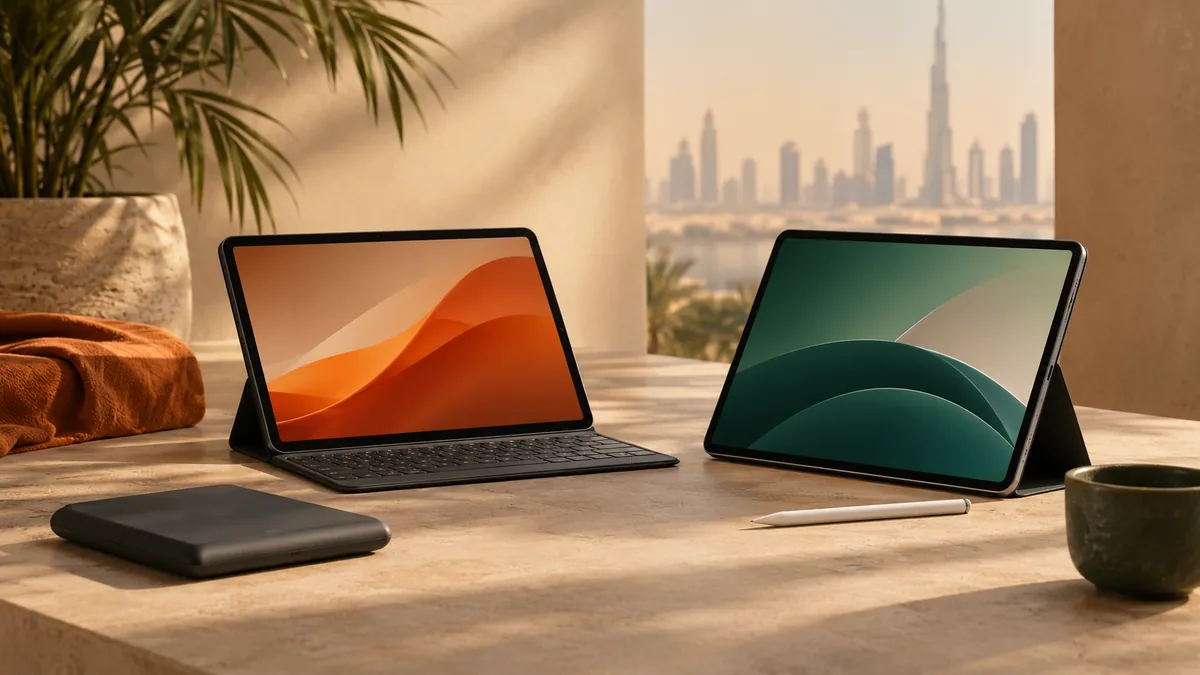
On this page
- Quick Comparison
- Quick Answer: Which One Should You Buy
- What Actually Matters When Comparing These Two
- Ecosystem and App Depth: iPadOS vs One UI
- Stylus and Multitasking: S Pen + DeX vs Pencil Pro + Split View
- Build Quality, Durability, and Buying Notes
- Final Verdict
- The two picks
- Frequently asked questions
- Keep reading
iPad vs Samsung Galaxy Tab: Which Tablet Is Right for You? is framed for someone buying while living in the UAE, not for a shopper in another country who happens to read English. For anything with a battery, a screen, or a motor, ask whether the warranty is serviceable in the UAE or only by shipping the unit abroad. Links from the UAE open the Amazon.ae listing when the visitor is in the UAE. That is not a promise the model is in stock — open the listing and confirm delivery to your emirate before you count on it. The notes below compare Apple iPad Air M3 (2025) and Samsung Galaxy Tab S9 FE from manuals and widely published owner reports, not from a private lab.
Apple iPad and Samsung Galaxy Tab dominate the tablet market. We compare their ecosystems, performance, stylus support, and value to help you decide.
Quick Comparison
| — | Apple iPad Air M3 (2025) | Samsung Galaxy Tab S9 FE |
|---|---|---|
| Best for | Powerful M3 chip | S Pen included |
| Main weakness | higher-tier accessories | Slower processor |
Quick Answer: Which One Should You Buy
If you want the tablet with the deepest app library, the fastest chip, and the fewest compromises when you're editing video or running pro creative software, get the iPad Air M3. It's the more capable machine in almost every performance benchmark, and Apple's tablet-optimized apps are still ahead of what Android offers on a 10-to-11-inch screen.
If you want a stylus in the box, a display you don't have to baby around water, and a desktop-style multitasking mode for free, the Galaxy Tab S9 FE is the smarter buy. Samsung includes the S Pen at no extra commitment — Apple sells the Pencil Pro separately — and the IP68 rating means it survives a splash at the pool or a spilled coffee that would send an iPad to the repair shop.
Students and professionals who live inside Procreate, Final Cut, or LumaFusion should lean iPad. Note-takers, students who want DeX as a laptop stand-in, and anyone who has already dropped a phone in the sink should lean Galaxy Tab.
What Actually Matters When Comparing These Two
The two big-ticket tablet lines get compared on specs constantly, but the spec sheet isn't where the real difference lives — the software ecosystem is. iPadOS and One UI approach the same 11-inch slab of glass with fundamentally different philosophies: Apple treats the iPad as a standalone creative and productivity device with app-level polish, while Samsung treats the Galaxy Tab as an extension of the Android and Windows worlds it's meant to plug into.
That means the questions worth asking before you buy aren't "which chip benchmarks higher" — the M3 wins that easily — but "which apps do I actually use every day, and are they built for a tablet screen or just stretched to fit one." A huge share of Android's tablet library is still phone apps in a bigger window. iPadOS apps, especially the creative ones, are far more likely to be built for the larger canvas from the ground up.
The second question is how you'll use the stylus and multitasking, since those are the features that separate a tablet from an oversized phone. That's where the S Pen-included, DeX-equipped Galaxy Tab earns its keep against a more powerful but accessory-hungry iPad.
Ecosystem and App Depth: iPadOS vs One UI
Apple's tablet-app advantage isn't close. Procreate, LumaFusion, Notability, and a long list of pro-grade creative tools either launched on iPad first or are meaningfully better there than their Android counterparts. If your work involves illustration, video editing, or music production, the iPad Air M3's app ecosystem alone can justify the step up in cost — the hardware is fast enough to run all of it without hiccups, and the software takes full advantage of that speed.
One UI on the Galaxy Tab S9 FE has closed a lot of ground, particularly for note-taking, PDF markup, and anything tied into Samsung's own Notes and second-screen features, but tablet-native Android apps are still the exception rather than the rule outside of Samsung's own suite. Where the Tab S9 FE pulls ahead isn't app depth — it's flexibility: it talks to Windows PCs, Android phones, and Samsung's DeX desktop mode in ways an iPad's more closed ecosystem doesn't match.
If you're already deep in Apple's world — an iPhone, a Mac, iCloud photos and files — the iPad Air M3 slots in with zero friction: Handoff, Universal Clipboard, and AirDrop all just work. If your daily driver is a Windows laptop and an Android phone, the Galaxy Tab integrates far more naturally, and DeX mode specifically lets you plug into a monitor and get something close to a desktop session.
Stylus and Multitasking: S Pen + DeX vs Pencil Pro + Split View
The S Pen bundled with the Galaxy Tab S9 FE is the single biggest value difference between these two tablets. It's a full pressure-sensitive stylus with low latency, it charges by resting on the tablet, and Samsung includes it in the box rather than as an add-on. The Apple Pencil Pro pairs and charges just as smoothly and adds squeeze gestures and haptic feedback that the S Pen doesn't have, but it's a separate purchase on top of the tablet itself — and a meaningful one, since Apple's accessories aren't budget-priced.
Multitasking follows a similar pattern. iPadOS handles Split View and Stage Manager well for a touch-first device, but it's still fundamentally a tablet operating system with desktop-like features bolted on, and the cons list above — limited multitasking — reflects real friction when you try to run several full, resizable app windows at once. DeX mode on the Galaxy Tab S9 FE goes further: connect it to an external display, and you get a genuine windowed, taskbar-driven desktop layout that makes the tablet double as a travel laptop replacement in a way iPadOS doesn't quite offer.
Neither system replaces a full laptop for heavy multitasking, but if a resizable, multi-window desktop mode matters to you more than raw app polish, that's a point solidly in Samsung's favor.
Build Quality, Durability, and Buying Notes
The Galaxy Tab S9 FE's IP68 rating is a genuine practical advantage, not a spec-sheet footnote. It means dust and water resistance you can actually rely on — reading in the bath, using it in a kitchen, or catching it in the rain on a commute won't end in a repair bill. The iPad Air M3 has no official water or dust resistance rating, so the same accidents that the Tab shrugs off can be a real risk for it.
On raw performance, the M3 chip is simply faster than the processor inside the Tab S9 FE, and that gap shows up most in export times, heavier creative apps, and how far into the future the tablet will still feel fast. If you plan to keep this tablet for four or five years and push it hard, the extra headroom in the iPad is worth factoring in even though the Galaxy Tab handles everyday browsing, video, and note-taking without any lag.
Budget for accessories either way, but budget differently: with the iPad, plan on adding a Pencil and probably a case as separate purchases stacked on top of the tablet's own cost; with the Galaxy Tab, the S Pen is already included, so your add-on budget goes toward a case or keyboard instead. Factor that into the trade-offs of ownership rather than comparing the tablets on their own tier alone.
Final Verdict
iPad Air M3 is best for performance and apps; Galaxy Tab S9 FE offers better value with the included S Pen.
The two picks
Apple iPad Air M3 (2025)
M3 chip, 11-inch Liquid Retina display, and Apple Pencil Pro support.
Pros
- Powerful M3 chip
- Great app ecosystem
- Excellent display
Cons
- higher-tier accessories
- Limited multitasking
Samsung Galaxy Tab S9 FE
10.9-inch, S Pen included, IP68 waterproof, and DeX mode.
Pros
- S Pen included
- Waterproof
- DeX desktop mode
Cons
- Slower processor
- Fewer tablet-optimized apps
Before you order, open the Amazon.ae listing, confirm it ships to your address, and check the return window. Sale seasons — Ramadan, White Friday, Prime Day, Prime Big Deal Days — are when it is worth looking again. This page never quotes a price.
Frequently asked questions
Is the iPad Air M3 or Galaxy Tab S9 FE better for students?
It depends on the coursework. Students doing design, video editing, or anything that leans on iPad-first creative apps will get more out of the iPad Air M3's app ecosystem and faster chip. Students who mainly need note-taking, PDF annotation, and a stylus without an extra purchase tend to prefer the Galaxy Tab S9 FE, since the S Pen is included and the IP68 rating survives the inevitable spilled coffee or dropped water bottle in a dorm or backpack.
Do I need to buy the stylus separately for the iPad?
Yes. The Apple Pencil Pro is not included with the iPad Air M3 and is sold on its own, which adds to the trade-offs once you factor it in. The Samsung Galaxy Tab S9 FE ships with the S Pen in the box at no extra commitment, which is a big part of why we call it the better value pick despite the iPad's faster chip and deeper app library.
Can the Galaxy Tab S9 FE really replace a laptop with DeX mode?
For light work, yes — DeX mode gives you a resizable, windowed desktop layout with a taskbar when you connect the Galaxy Tab S9 FE to an external display, which is closer to a real desktop experience than iPadOS's Split View and Stage Manager. It's fine for email, browsing, documents, and light multitasking, but it's still an Android tablet chip under the hood, so it won't match an actual laptop for heavy, sustained workloads.
Which tablet has better durability for outdoor or active use?
The Galaxy Tab S9 FE, clearly. Its IP68 rating means certified dust and water resistance, so rain, pool splashes, or a spill won't be a crisis. The iPad Air M3 has no official water or dust resistance rating, so it needs more caution around water and dust exposure even though its build quality is otherwise excellent. If you'll use the tablet outdoors, at the beach, or around kids, the Tab's rating is a meaningful practical edge.
Keep reading
Guide
Tech Reviews & Guides
Laptops, tablets, fitness trackers, smartwatches, and portable tech — reviewed without the hype.
Tech
Best Fitness Trackers Under AED 400
Track your steps, sleep, and workouts without breaking the bank.
Tech
Best Portable Bluetooth Speakers Under AED 400
Take your music anywhere with these modest portable speakers.
Tech
Best Smart Watches Under AED 750
Stay connected and track fitness with these budget smartwatches.
As an Amazon Associate, TechGadgetSpot earns from qualifying purchases.