
Home / Desk setup / Best Monitor Light Bars for Eye Comfort
Desk setup
Best Monitor Light Bars for Eye Comfort
Reduce eye strain with these top-rated monitor light bars.
On this page
A desk in a UAE apartment is often a shared corner in a bright room. Best Monitor Light Bars for Eye Comfort should be read with glare, small spaces, and Type G power in mind. Summer heat and dust change what 'comfortable' and 'reliable' mean. A seal, a battery, or a fan that feels fine in an air-conditioned shop can struggle on a parked-car afternoon or a dusty balcony. Links from the UAE open the Amazon.ae listing when the visitor is in the UAE. That is not a promise the model is in stock — open the listing and confirm delivery to your emirate before you count on it. The notes below compare BenQ ScreenBar Pro and Taotronics LED Desk Lamp from manuals and widely published owner reports, not from a private lab.
Reduce eye strain with these top-rated monitor light bars.
Monitor light bars illuminate your desk without screen glare.
Quick Comparison
| — | BenQ ScreenBar Pro | Taotronics LED Desk Lamp |
|---|---|---|
| Best for | Excellent build | modest |
| Standout | Excellent build | modest |
| Trade-off | higher-tier | Not a monitor bar |
Quick Answer: Our Pick for Desk Lighting
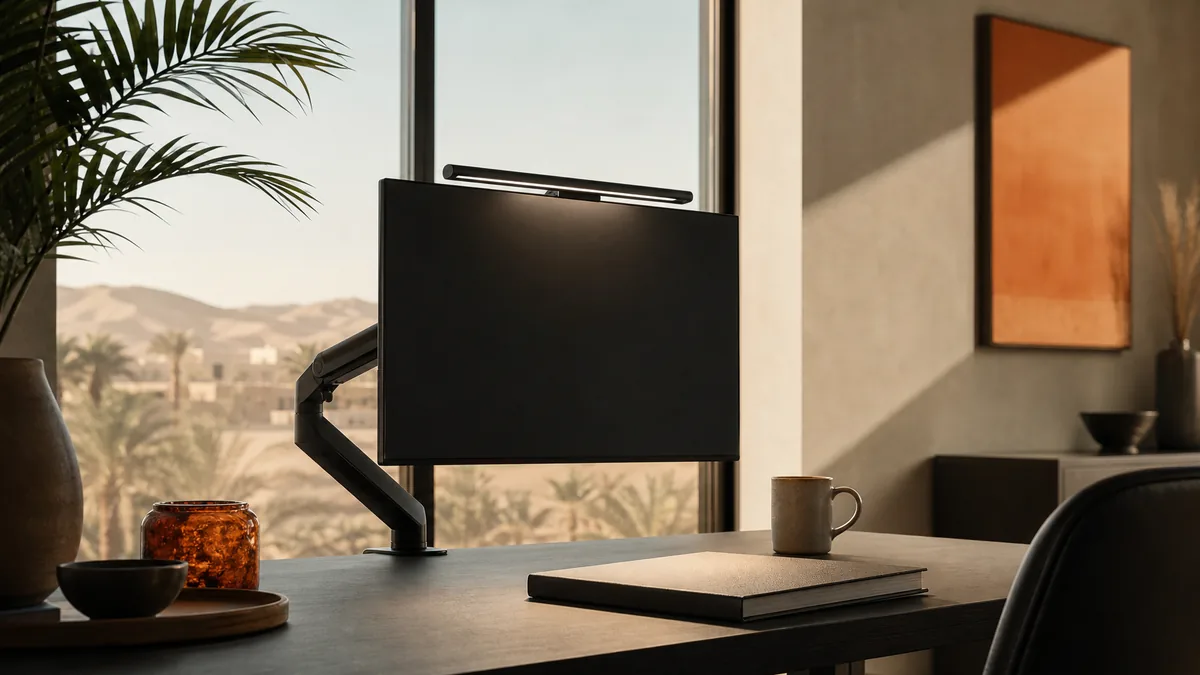
The BenQ ScreenBar Pro is our pick for anyone who works at a monitor for most of the day. It clamps onto the top edge of the display and throws light down onto the desk, not into your eyes, so there's no glare on the screen and no glow bouncing back off a glossy panel. The auto-dimming sensor reads ambient light in the room and adjusts brightness on its own, and the motion sensor turns the bar off when you step away, which matters more than it sounds like it would over a full workday.
The Taotronics LED Desk Lamp is the budget alternative, and it earns its spot in this guide for a different reason: it's not actually a monitor light bar. It's a flexible-neck desk lamp that sits beside your keyboard rather than clamping to the screen. If your monitor is thick, curved, or an ultrawide that a clamp bar can't safely grip, the Taotronics is the practical fallback, and its five brightness levels cover most of the same eye-care ground for tiers well under the ScreenBar's price.
If you sit at a single flat monitor for hours a day, get the ScreenBar Pro. If you need lighting that works around an odd desk setup or want to spend far less, the Taotronics is the sensible pick — just go in knowing it's a lamp, not a bar.
What Actually Matters in Monitor Lighting
The single biggest factor is where the light hits. A light source mounted above and slightly forward of the screen, angled down at the desk, illuminates your keyboard and papers without ever crossing your line of sight to the display. That's the entire premise of a monitor light bar — it solves the specific problem of a desk lamp shining sideways into a glossy screen and creating a washed-out glare patch. A lamp positioned beside the monitor, by contrast, can't fully avoid that reflection unless you angle it carefully and keep the brightness modest.
Color temperature adjustability is the second thing worth checking. Cooler, bluer light (5000K-6500K) keeps you alert during the day but can contribute to eye strain and disrupted sleep if left on into the evening; warmer light (2700K-3500K) is easier on the eyes at night. A bar or lamp that lets you slide between the two, ideally paired with auto-dimming that reacts to the room rather than a fixed timer, is doing real work rather than just lighting a desk.
Build quality and mounting matter more than spec sheets suggest. A clamp that grips firmly without marking the monitor bezel, a cable that tucks behind the display instead of dangling across the desk, and a light head that doesn't flicker at low brightness are the details that separate a light you forget about from one you fiddle with daily.
Why these two designs are compared
The Taotronics sidesteps that entirely by standing on the desk with its own flexible neck, which you can bend to approximate the down-angled throw a bar delivers, even if it's never quite as glare-free.
The trade-off shows up in desk space and daily fiddling. The ScreenBar Pro, once clamped and angled, effectively disappears — it sits above the screen where your eyes are already pointed elsewhere, drawing power over USB from the monitor or PC. The Taotronics occupies real desk footprint beside your keyboard, and because its neck holds a position but doesn't lock in the way a screen mount does, you'll find yourself readjusting it more often, especially if the desk gets bumped.
We wouldn't recommend the Taotronics to someone who could use the ScreenBar Pro instead. It exists in this guide for the reader whose setup rules the bar out, or whose priority is spending far less and living with a lamp on the desk.
Setup Notes: Power, Clamps, and Screen Compatibility
The ScreenBar Pro draws power over USB, which means it needs a free USB-A port on your monitor or a nearby hub — check this before buying if your display is USB-C only or your ports are all in use. The clamp itself opens wide enough for most standard flat monitors, but it's worth measuring your bezel thickness first; very thin-bezel or curved displays can be a tight or unstable fit, and that's exactly the scenario where the Taotronics' freestanding design is the safer bet.
For the Taotronics, placement is the main variable you control. Positioning it slightly behind and to the side of your keyboard, angled down and away from the screen, gets you closest to the glare-free effect a proper light bar achieves automatically. Placed directly beside the monitor at eye height, it will reflect off a glossy screen the same way any desk lamp does.
Both units are worth running through their brightness and color-temperature settings once during initial setup rather than leaving them on the factory default — a few minutes finding the level that doesn't wash out your monitor's own brightness saves weeks of squinting.
How this was researched
These notes come from published specifications, manuals, and patterns that show up repeatedly in owner reports. TechGadgetSpot did not run a private lab session for this guide. Use the specs against how you will actually use the item in the UAE: heat, dust, Type G power where a plug is involved, app availability, and whether Amazon.ae can deliver it.
Final Verdict
BenQ ScreenBar is the gold standard; Taotronics offers a great budget alternative for desk lighting.
The picks
BenQ ScreenBar Pro
Auto-dimming, motion sensor, and adjustable color temperature.
Pros
- Excellent build
- Auto-dimming
- No screen glare
Cons
- higher-tier
- Requires USB port
Taotronics LED Desk Lamp
Flexible neck, 5 brightness levels, and eye-care technology.
Pros
- modest
- Flexible neck
- Multiple modes
Cons
- Not a monitor bar
- Takes desk space
Before you order, open the Amazon.ae listing, confirm it ships to your address, and check the return window. Sale seasons — Ramadan, White Friday, Prime Day, Prime Big Deal Days — are when it is worth looking again. This page never quotes a price.
Frequently asked questions
Do I need a monitor light bar, or is a regular desk lamp enough?
A regular desk lamp works, but a screen-mounted bar solves a problem lamps generally can't: light hitting the desk without ever crossing into your line of sight to the monitor. Placed beside a glossy screen, a lamp tends to create a washed-out glare patch unless you angle and dim it carefully. If your monitor's bezel is thin enough to clamp, a bar like the ScreenBar Pro is the more effective fix; if it isn't, a flexible lamp positioned carefully behind and to the side of the keyboard is a reasonable substitute.
Will the Taotronics LED Desk Lamp clamp onto my monitor like a light bar?
No — it's a freestanding desk lamp with a flexible neck, not a clamp-mounted bar. It sits on the desk beside your keyboard rather than attaching to the top of the screen. That makes it a practical fallback for monitors a clamp bar can't grip (thick bezels, curved panels, ultrawides), but it won't deliver the same consistently glare-free throw as a bar mounted directly above the display.
Does color temperature actually matter for eye strain?
Yes. Cooler light in the 5000K-6500K range keeps you alert during the day, while warmer light around 2700K-3500K is easier on the eyes in the evening and less disruptive to sleep if you work late. Both products in this guide offer adjustable settings — look for one that lets you shift the color temperature rather than only the brightness, and get in the habit of warming it up as the day goes on.
How much desk space does a monitor light bar actually save?
A clamp-mounted bar like the ScreenBar Pro sits above the monitor rather than on the desk surface, so it reclaims essentially all the space a traditional lamp would occupy next to your keyboard. That's one of its clearer advantages over the Taotronics, which stands on the desk and takes up room in your immediate workspace, especially if you also keep a mouse pad or notebook nearby.
Keep reading
Guide
Desk Setup Gear
Monitor arms, mechanical keyboards, USB-C hubs, webcams, desk lamps, and cable management for a cleaner workspace.
Desk setup
Best Monitor Arms for Ergonomic Desk Setup
Free up desk space and improve posture with a quality monitor arm.
Desk setup
Logitech C920 vs C922: Which Webcam Should You Buy?
Logitech's C920 and C922 are two of the most popular webcams on the market. We compare their image quality, frame rate, and features to help you choose.
Desk setup
Best Desk Lamps for Reducing Eye Strain
Reduce digital eye strain with these high-quality desk lamps.
As an Amazon Associate, TechGadgetSpot earns from qualifying purchases.